
Customer support has changed a lot over the years, and I’ve learned firsthand that managing requests without the right system quickly becomes unsustainable. Once your business starts growing, relying on spreadsheets or scattered inboxes can lead to missed issues, slower responses, and frustrated customers.
That’s exactly why investing in help desk ticketing software is no longer optional for modern support teams.
The right ticketing software helps you centralize every conversation, track issues from start to finish, automate repetitive tasks, and deliver faster, more consistent service as expectations rise.
In this guide, I’m sharing the 13 best help desk ticketing software tools for 2026, along with what makes each one worth considering, whether you’re a small team scaling up or an enterprise handling thousands of tickets every day.
What Is a Help Desk Ticketing System?
A help desk ticketing system is a software solution to manage and track customer service requests, complaints, and queries. With the help of this software, support agents can use a shared dashboard to view all tickets in one place, prioritize urgent issues, publish knowledge-base articles, and share faster responses with customers.
In simpler terms, it’s a tool that helps you:
- Receive customer requests through various channels like email, live chat, or even a website.
- Organize those requests into individual tickets, which are basically files for each specific issue.
- Assign tickets to the right support person based on their expertise.
- Track the progress of each request, update the customer, and keep everything organized.
- Analyze the data to see what kinds of issues are common and improve service quality.
Help desk software can be a great addition to your arsenal of customer support tools, such as live chat, knowledge base, etc.
List of the 13 Best Help Desk Ticketing Software
Finding the right set of tools from scratch is a painstaking process (based on personal experience).
That’s why I chose to connect with industry experts (managers, directors, support teams, etc.) who use these platforms in their day-to-day lives. I asked for recommendations and reasons why they’d choose a particular tool over the other.
With a bit of self-research and browsing through user feedback from software review sites, I compiled a detailed comparison of the 13 best help desk ticketing software.
Let’s get started.
| Tool | Best For | Support Channels | Starting Price |
|---|---|---|---|
| ProProfs Help Desk | AI help desk and support ticketing for customer delight | Email, chat, portal, forms | Paid plan starts at $19.99/user/month |
| Zendesk | Large businesses and enterprises | Omnichannel + marketplace apps | Starts at $19/user/month |
| Help Scout | Customer conversations and a unified platform | Email, in-app messaging, portal | Starts at $25/user/month |
| Freshdesk | Multichannel communications | Email, phone, chat, social | Paid plans start from $15/agent/month |
| HubSpot Service Hub | HubSpot users | Email, chat, bots, CRM-based | Paid options start from $15/user/month |
| Salesforce Service Cloud | AI-powered customer service | Omnichannel + Salesforce ecosystem | Starts at $25/user/month |
| LiveAgent | Chat-based support | Chat, email, phone, social | Starts at $15/agent/month |
| ServiceNow | IT service management | Internal IT workflows + portal | Starts at $100/user/month |
| Zoho Desk | Contextual support | Email, chat, social, portal | Starts at $14/user/month |
| HappyFox | Insightful reports and analytics | Email, chat, social | Starts at $21/agent/month |
| Front | Email automation and collaboration platform | Email + shared inbox workflows | Starts at $25/seat/month |
| Jira Service Management | Collaboration between DevOps teams | IT tickets + Jira workflows | Paid options start from $20/user/month |
| BMC Helix | Service management | IT operations + automation | Custom pricing |
1. ProProfs Help Desk – Best for AI Help Desk & Support Ticketing for Customer Delight
ProProfs Help Desk offers a well-rounded help desk ticketing software to streamline customer support operations. I think you’ll like how it captures requests via multiple channels like email, live chat, web forms, chatbot, etc., allowing customers to conveniently submit their issues.
With this free help desk software, my agents can prioritize urgent issues, see who is working on what, find past tickets with advanced search functionality, and share faster replies using canned responses.
When it comes to ticketing automation, the tool has done a great job. You can automatically assign tickets to team members, notify them with automated alerts, and measure customer satisfaction with automated email surveys. Also, AI help desk features like ticket summarization and response suggestions help teams save valuable hours every week.
Also, I found that using ProProfs Help Desk, you can empower customers to self-serve; thanks to its knowledge base integration. You can significantly reduce the number of support tickets submitted by storing solutions to FAQs and other common issues.
Pros:
- Includes a shared inbox for team collaboration
- Enables ticket prioritization and categorization
- A flexible free plan makes ProProfs a strong starting point for teams of any size.
- Offer 360-degree support with the Customer Delight Suite (Help Desk, Chat, Knowledge Base, Survey Maker & Qualaroo)
Cons:
- No dark mode option
- Lacks an on-premise version
User Rating: 4.9 (Capterra)
Pricing:
A free plan is available for growing teams. Paid plan starts at $19.99/user/month.
2. Zendesk – Best for Large Businesses & Enterprises
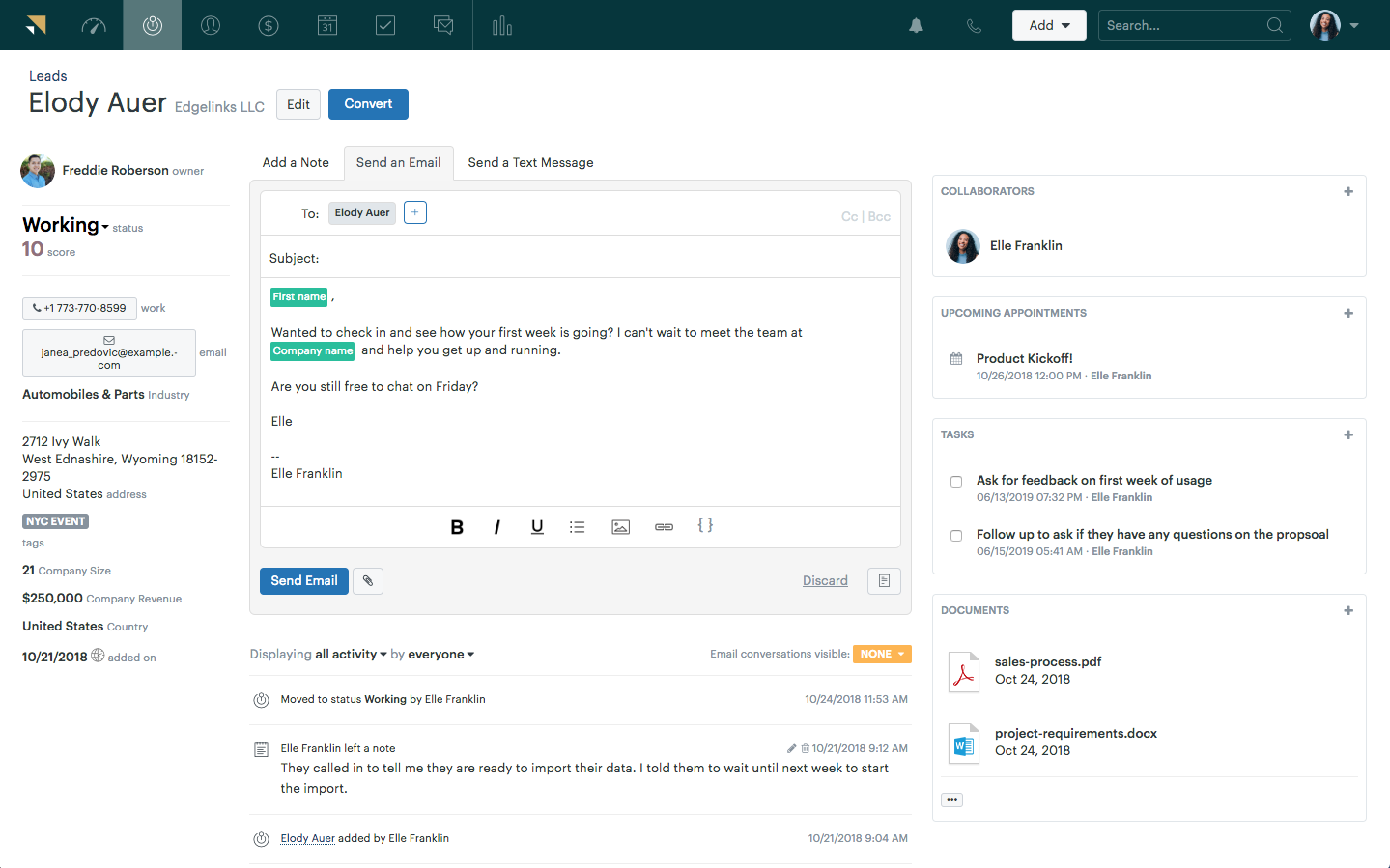
Image Source: Getvoip.com
Zendesk is a powerful ticket management system built to scale with large businesses. I like how the platform goes beyond basic ticketing by automating repetitive tasks and intelligently routing tickets to the most qualified agents based on pre-defined rules (skills, workload, or even previous interactions with the customer). But that’s not all.
Using this help desk ticketing software, I could see insights into customer support performance. It can also automatically route incoming tickets to an agent familiar with billing processes while simultaneously pulling up the customer’s account information within the CRM.
However, one major drawback of this tool is that it’s quite expensive, making it unsuitable for small businesses.
Pros:
- Features AI-powered automation and suggestions
- Supports live chat and messaging services
- A wide range of integrations are available through an extensive app marketplace
- Facilitates advanced workflow capabilities
Cons:
- Most help desk features are capped in the starter plan, which makes it less useful for small businesses
- High pricing makes it an unfit option for startups or small businesses
User Rating: 4.4 (Capterra)
Pricing:
Starts at $19/user/month.
3. Help Scout – Best for Customer Conversations & Unified Platform
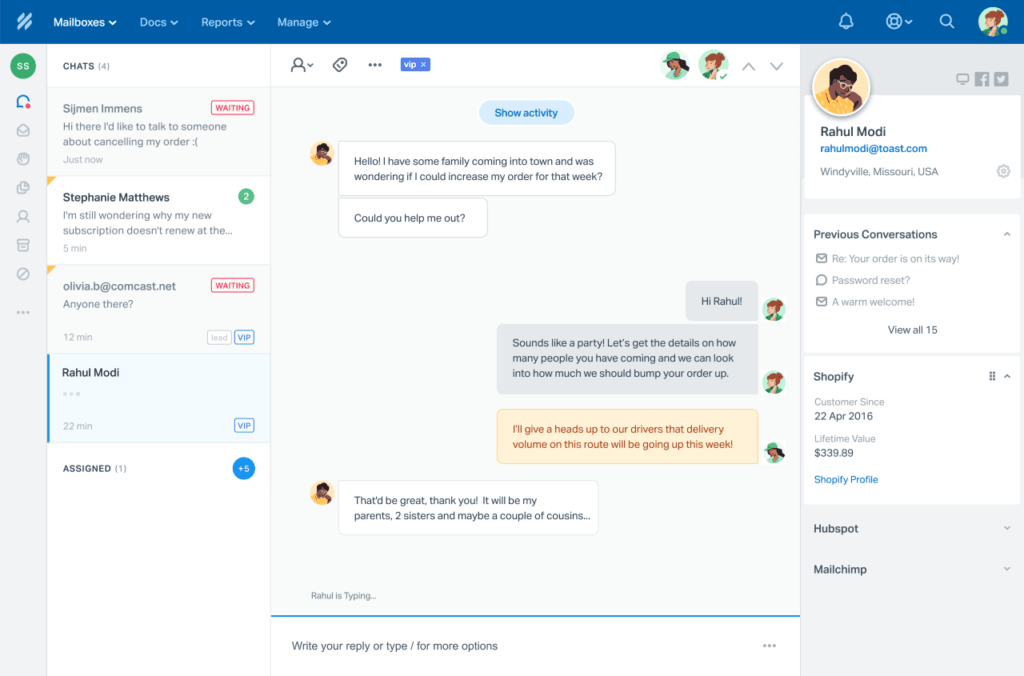
Image Source: Help Scout
Help Scout clears the sting out of managing tickets for your agents. Like other tools in the list, I found it also has a shared inbox where everyone can see all customer conversations in one place.
Also, something that caught my attention was the email delegation feature. Using it, you can strategically assign tickets to specific agents based on their expertise or current workload.
The software lets you route a ticket to an agent experienced in navigating the intricacies of the ticket subject matter. This ensures that the right agent tackles the right issue every single time, leading to faster resolutions and happier customers.
Pros:
- Tags to categorize tickets or trigger automation
- Provides a shared inbox to improve team collaboration
- Offers ‘Beacon’ for in-app messaging and support
- Lets you add custom data for tickets using custom fields
Cons:
- Only two shared inboxes are offered in the starting plan
- Limited customization options compared to its leading competitors
User Rating: 4.6 (Capterra)
Pricing:
Starts at $25/user/month.
4. Freshdesk – Best for Multichannel Communications
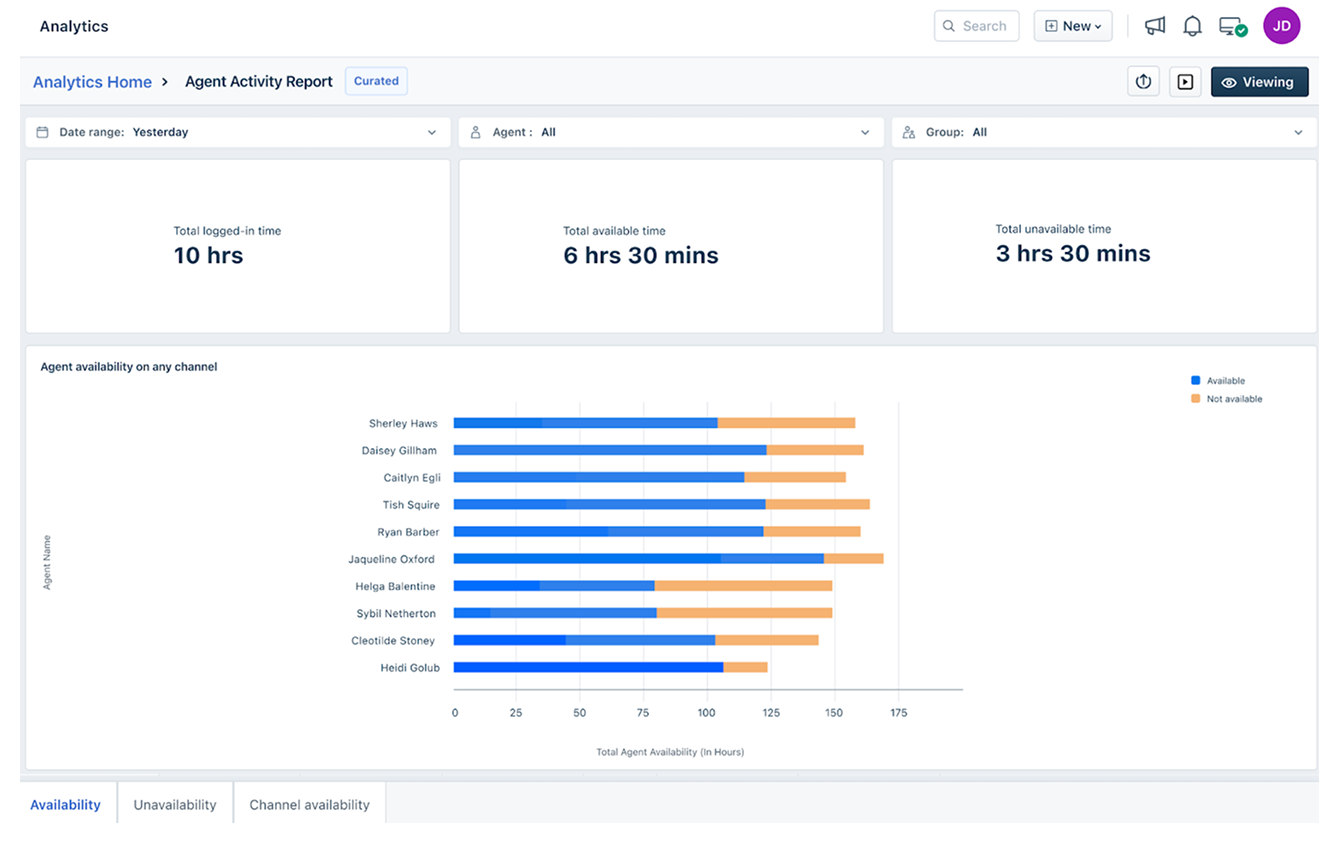
Image Source: Freshdesk
Freshdesk is a strong pick if you handle customer support across multiple channels like email, phone, and social media.
When it comes to customer support ticketing, Freshdesk lets you manage all support inquiries and complaints in one place, saving you from switching between different platforms.
While these are nothing extraordinary as far as help desk ticketing software are concerned, you may still like the platform’s built-in automation to handle routine tasks and a self-service portal with helpful resources. This means less time spent on repetitive tasks and happier customers who can find answers on their own.
Pros:
- A unified ticketing system for all communication channels
- Strong SLA management to ensure timely responses
- Customizable ticket views for different team needs
- Multi-language support to cater to global customers
Cons:
- No automation capabilities in the free plan
- Can become expensive as add-ons accumulate
User Rating: 4.5 (Capterra)
Pricing:
A free plan is available for up to 2 agents. Paid plans start from $15/agent/month.
5. HubSpot Service Hub – Best for HubSpot Users
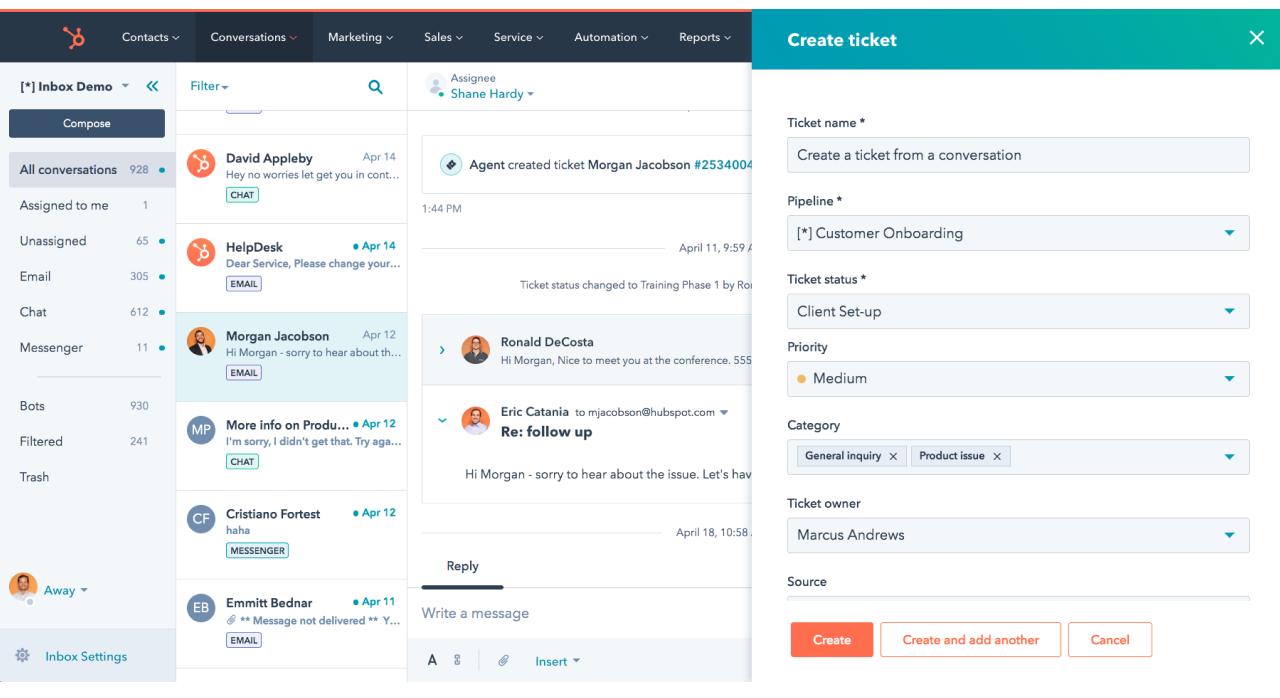
Image Source: HubSpot Service Hub
In the list of ticketing tools, HubSpot’s Service Hub holds special significance. I think it’s a perfect fit, especially if you’re already using HubSpot’s CRM. The software integrates seamlessly with your existing customer data, giving a complete picture of customer interactions.
On top of that, it lets you set up automatic ticketing based on information in the CRM.
Imagine a VIP client contacting you via email about a billing issue. HubSpot can automatically create a ticket, assign it to the most appropriate agent based on their expertise, and pull up the customer’s past interactions and billing history.
Pros:
- Customer feedback tools to gather insights on service experience
- Offers knowledge base functionality for self-service
- Live chat and conversational bots are included
- Reporting dashboard fully integrated with HubSpot’s suite
Cons:
- No ticket automation feature in the free plan
- Primarily beneficial for existing HubSpot users due to integration depth
User Rating: 4.4 (Capterra)
Pricing:
A free plan is available with limitations. Paid options start from $15/user/month.
6. Salesforce Service Cloud – Best for AI-Powered Customer Service
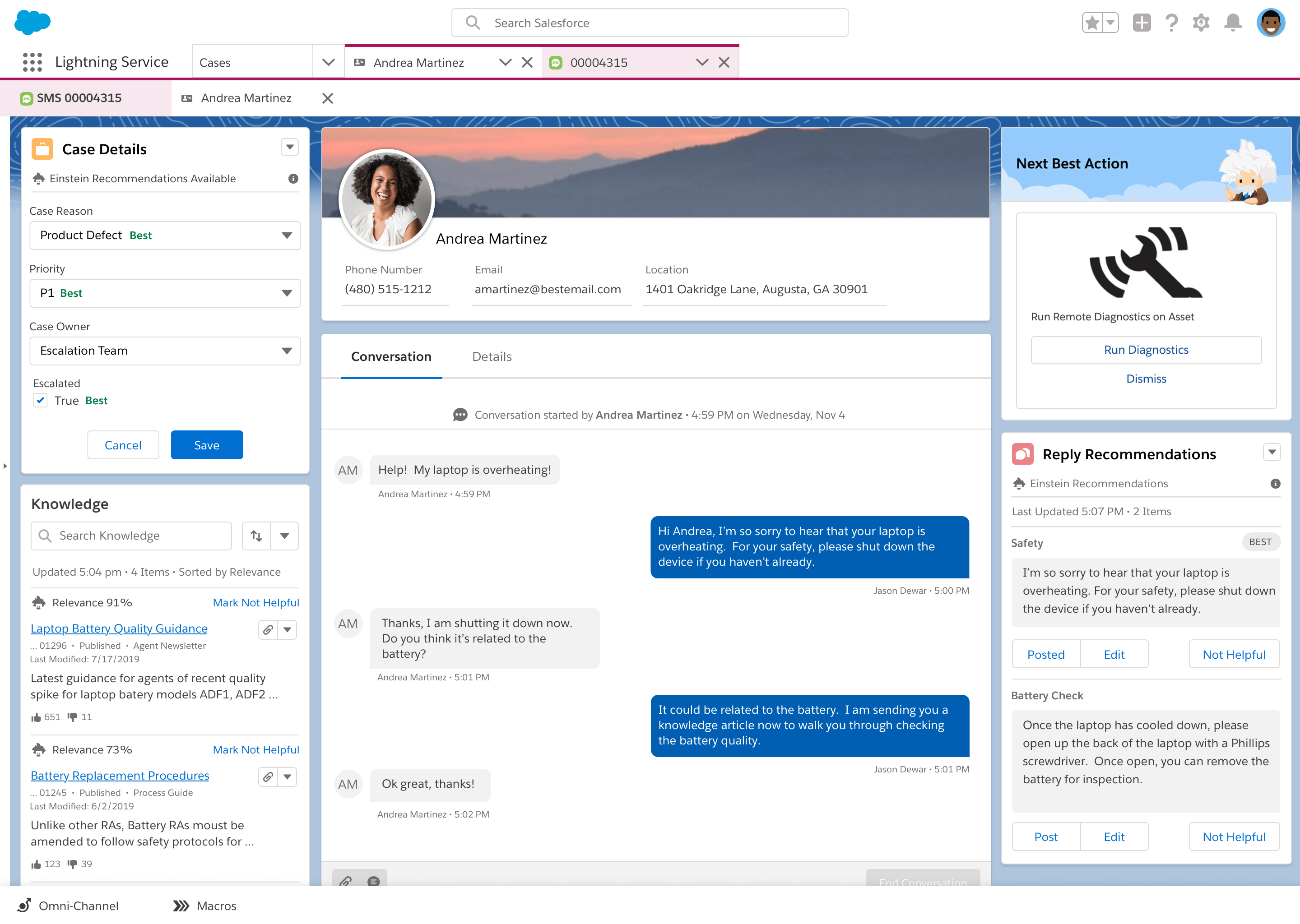
Image Source: G2.com
Salesforce Service Cloud uses artificial intelligence (AI) to boost your customer service significantly. I like how this help desk ticketing software lets you analyze customer data and predict their needs before they even contact you.
This lets your agents be proactive instead of reactive. They can anticipate customer issues and reach out with solutions before problems arise, leaving customers feeling impressed with your attentiveness.
Plus, Service Cloud automates repetitive tasks like sending follow-up emails or resetting passwords. This frees up your agents’ time to focus on the high-value interactions that build strong customer relationships.
Pros:
- Extensive CRM integration within the Salesforce ecosystem
- AI-powered suggestions for customer service
- Extensive customization via Salesforce AppExchange
- Includes telephony integration and callback feature
Cons:
- No omnichannel routing in the starting plan
- Integration with non-Salesforce products can be challenging
User Rating: 4.5 (Capterra)
Pricing:
Starts at $25/user/month.
7. LiveAgent – Best for Chat-Based Support
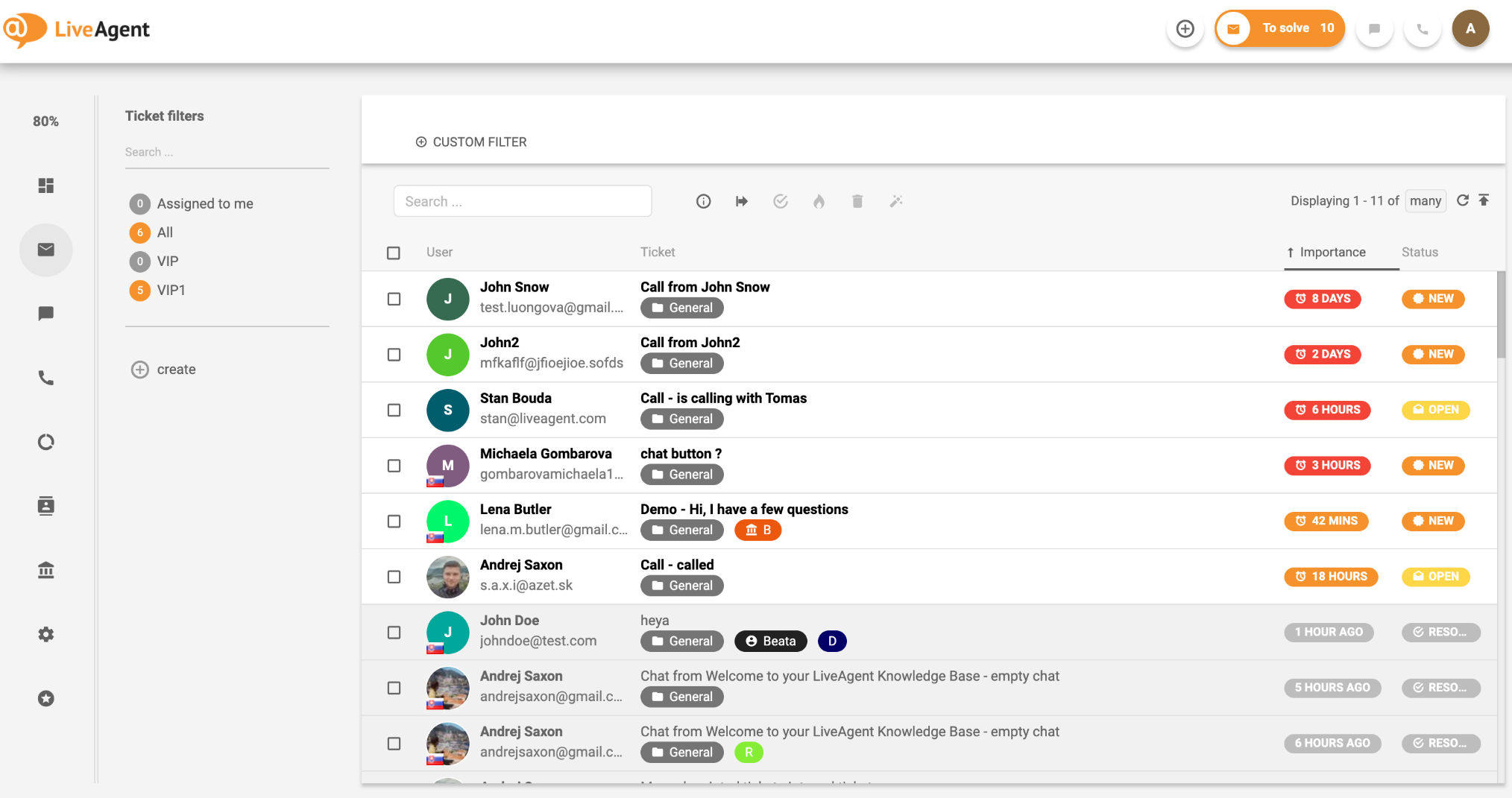
Image Source: LiveAgent
If your business prefers live chat’s convenience and immediacy for customer support, you may want to try LiveAgent.
The software seamlessly converts incoming customer chats into tickets, creating a record of the conversation and ensuring nothing gets lost in the shuffle. This is especially helpful for complex issues requiring multiple touchpoints or agent handoffs.
In my limited time with it, I also found it goes beyond just chat ticketing. Using the tool, you can combine this functionality with features for managing email and social media inquiries as well. So, you can ditch the need to switch between different apps or inboxes to answer customer questions.
Pros:
- Real-time chat capabilities for instant communication
- Video chat support for face-to-face communication
- Automation of routine tasks to save time and improve efficiency
- Built-in call center support with advanced call routing
Cons:
- No call routing and transfer feature in the starting plan
- Email ticketing features are less developed than chat
User Rating: 4.7 (Capterra)
Pricing:
Starts at $15/agent/month.
8. ServiceNow – Best for IT Service Management
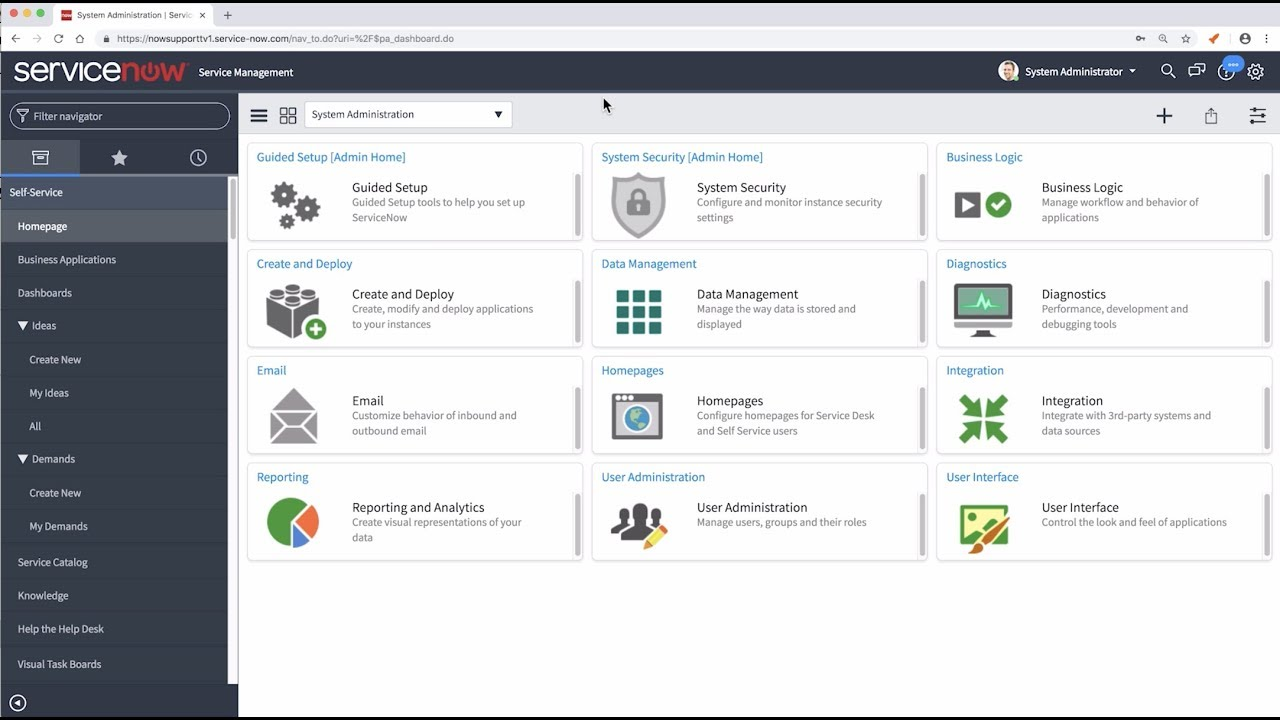
Image Source: Help-desk-migration.com
I found that ServiceNow is more than just an IT ticketing system. It’s an all-in-one IT service management (ITSM) platform. So, what does that mean?
Well, it can tackle everything from the nitty-gritty of everyday IT support to fulfilling requests for new software. I’ll give you an example to help you understand it better.
Imagine your IT department gets a ticket about a malfunctioning printer.
This help desk ticketing software can track that ticket through the entire resolution process, from assigning it to the most qualified technician to tracking the repair progress and logging the solution used to fix the printer. Imagine how convenient that is for the IT support team!
Pros:
- Specializes in ITSM and IT operations management
- Features strong automation capabilities for IT processes
- Includes incident, problem, and change management features
- Facilitates virtual agent and chatbot functionality
Cons:
- The company does not share transparent pricing on its website
- Primarily suited for larger enterprises due to complexity and cost
User Rating: 4.5 (Capterra)
Pricing:
Starts at $100/user/month.
9. Zoho Desk – Best for Contextual Support
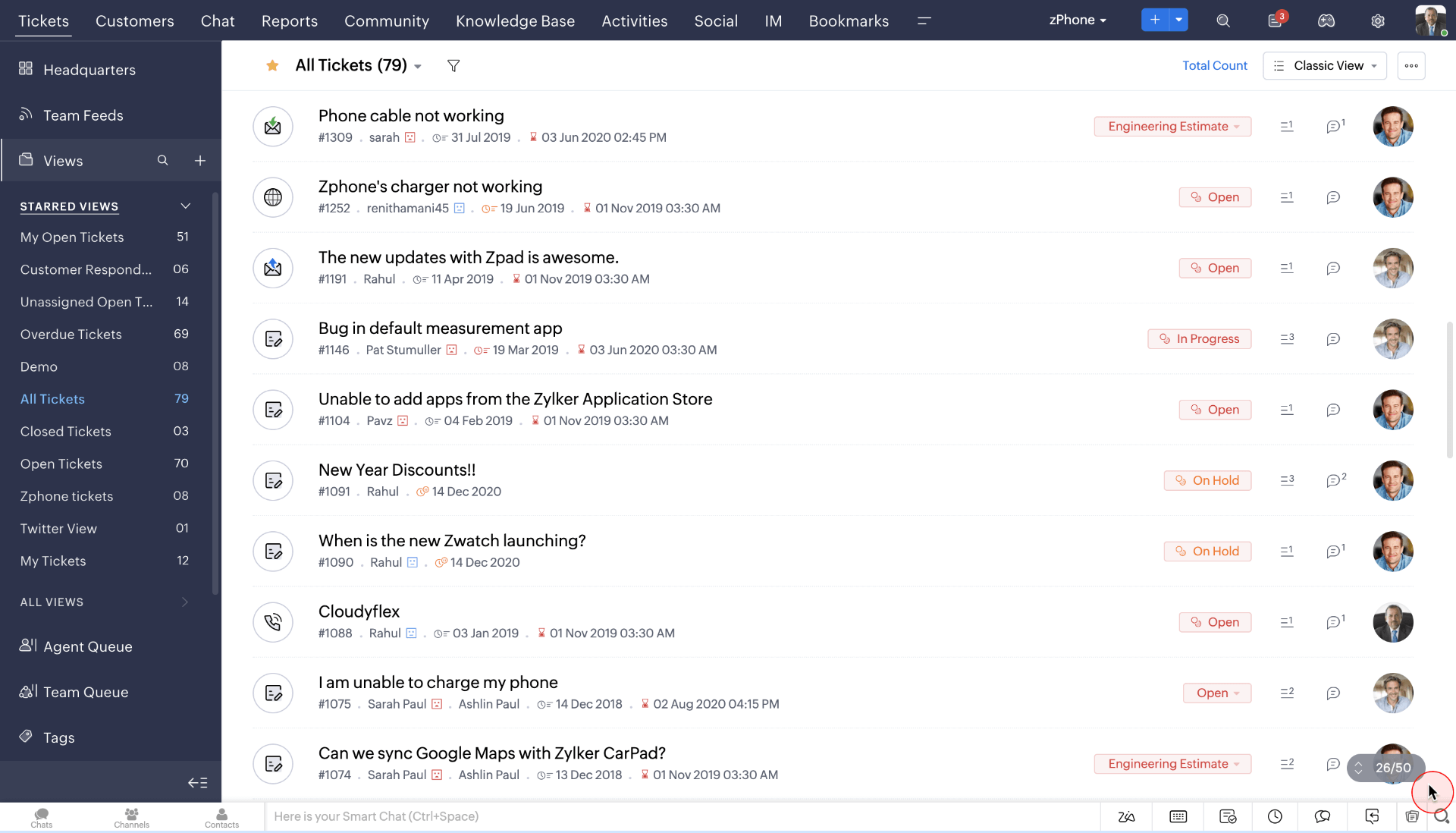
Image Source: Zoho Desk
If you browsed a bit about help desk ticketing systems, you must have come across Zoho Desk. It’s one of the few tools on the list that solves problems faster with its context-aware features. I’ll tell you what that means.
Say you have a customer emailing about a billing issue. The software can automatically scan your system and pull up the customer’s account details, past billing history, and any relevant communication history (like previous support tickets or sales calls).
This immediately gives your agents a complete picture of the customer’s situation, saving time. Plus, the software integrates with other Zoho apps, like CRM or accounting software, which is great for existing users.
Pros:
- Context-aware help desk software for smooth customer interaction
- Advanced analytics and reporting tools for deep insight into operations
- Automation capabilities to streamline ticket resolution processes
- Artificial intelligence to assist agents with suggestions
- Self-service capabilities with a customizable customer portal
Cons:
- No round-robin ticket assignment for load balancing in the starting plan
- Users have reported issues with mobile app bugs
User Rating: 4.5 (Capterra)
Pricing:
Starts at $14/user/month.
10. HappyFox – Best for Insightful Reports & Analytics
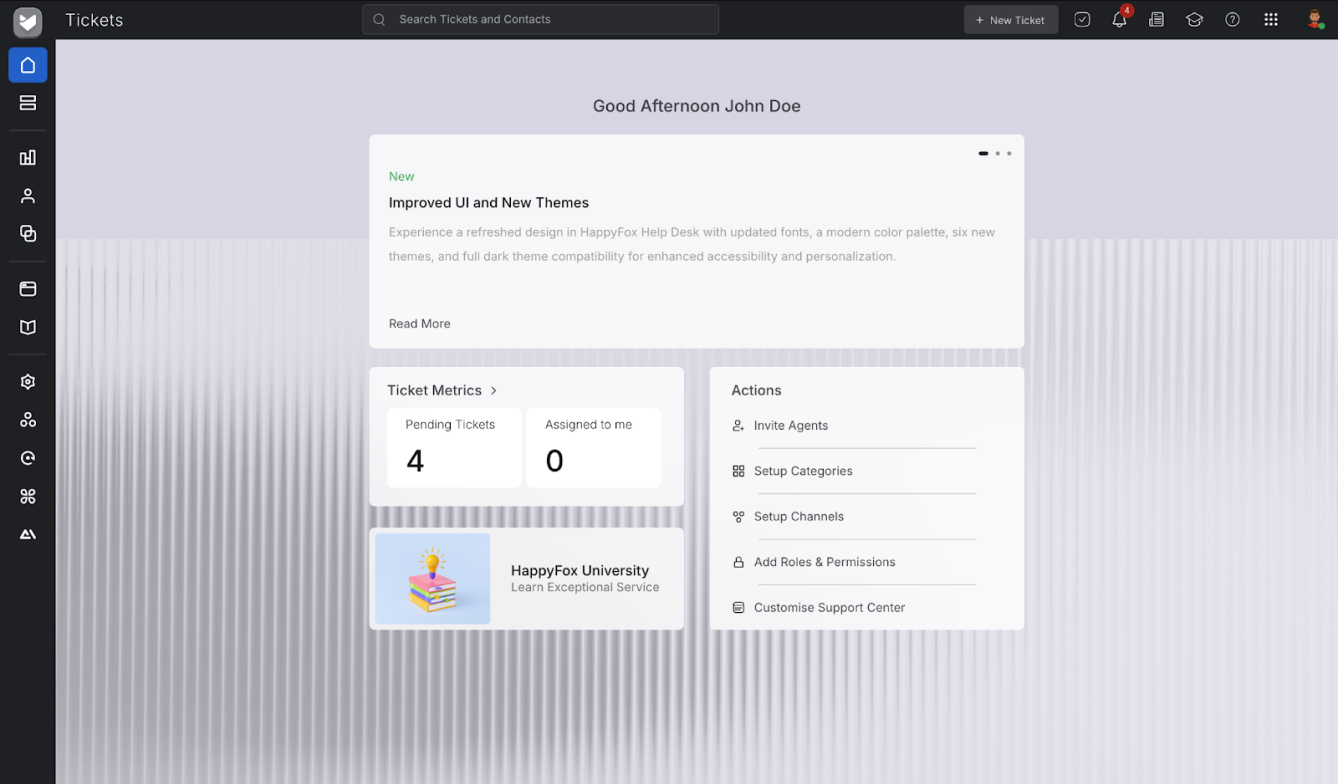
Image Source: HappyFox
If you’re looking for ticketing system software that shows how your support team is performing, try HappyFox. While using this help desk ticketing software, I could see which issues take the longest to resolve or which agents consistently get high customer satisfaction ratings.
To sum it up, you will see detailed reports with easy-to-understand charts and graphs.
For example, if you see a spike in unresolved billing ticket volume, the software can help you pinpoint the root cause, whether it’s a knowledge base gap or a complex billing process. With this data, you can then take action as needed.
Pros:
- Powerful analytics dashboard for tracking key support metrics
- Knowledge base integration for easy access to information
- Multi-channel support to handle emails, chats, and social media
- SLA management ensures timely adherence to service commitments
Cons:
- No load-balanced ticket assignment in the starting plan
- Limited integration capabilities without middleware
User Rating: 4.6 (Capterra)
Pricing:
Starts at $21/agent/month.
11. Front – Best for Email Automation & Collaboration Platform
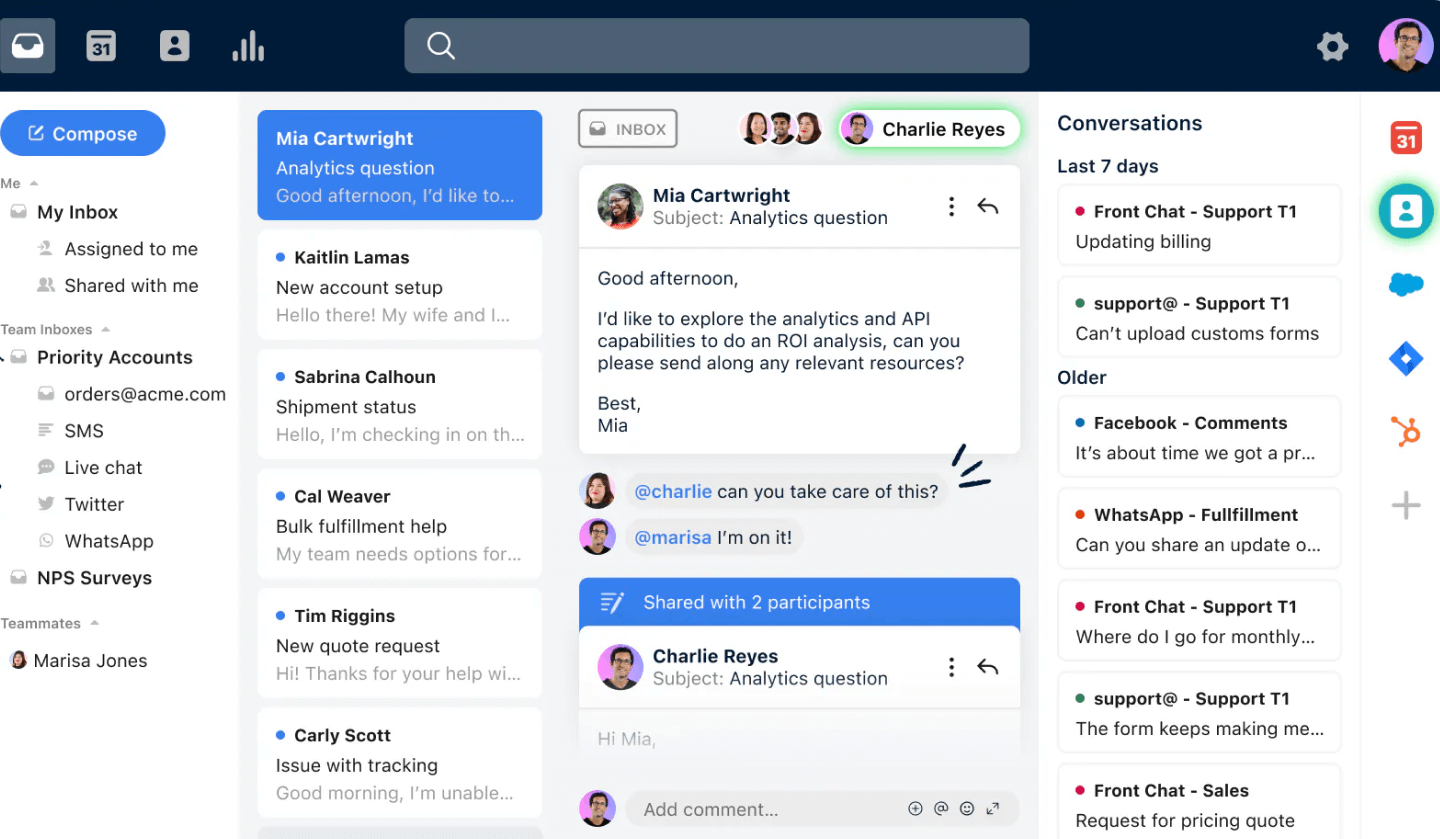
Image source: Front
Front isn’t just for email automation, it excels at handling customer support inquiries through email ticketing. It works wonders, especially when your team gets flooded with customer emails.
So, what the software does here is organize them into a shared inbox so that everyone can see all messages. Plus, it lets you set up automatic rules to streamline workflows.
For instance, you can create a rule that automatically tags emails based on keywords (e.g., “billing” or “shipping”) and assigns them to the most appropriate agent. This ensures emails get routed to the right person quickly, avoiding delays and confusion.
Pros:
- Shared inboxes for better team transparency and response efficiency
- The mobile application extends the collaboration features on the go
- Customizable tags and folders to organize conversations and tasks
- Real-time alerts to keep the team updated on critical issues
Cons:
- No load-balancing feature in the starting plan
- The interface can seem complex for users accustomed to traditional email
User Rating: 4.5 (Capterra)
Pricing:
Starts at $25/seat/month.
12. Jira Service Management – Best for Boosting Collaboration Between Dev & Ops Teams
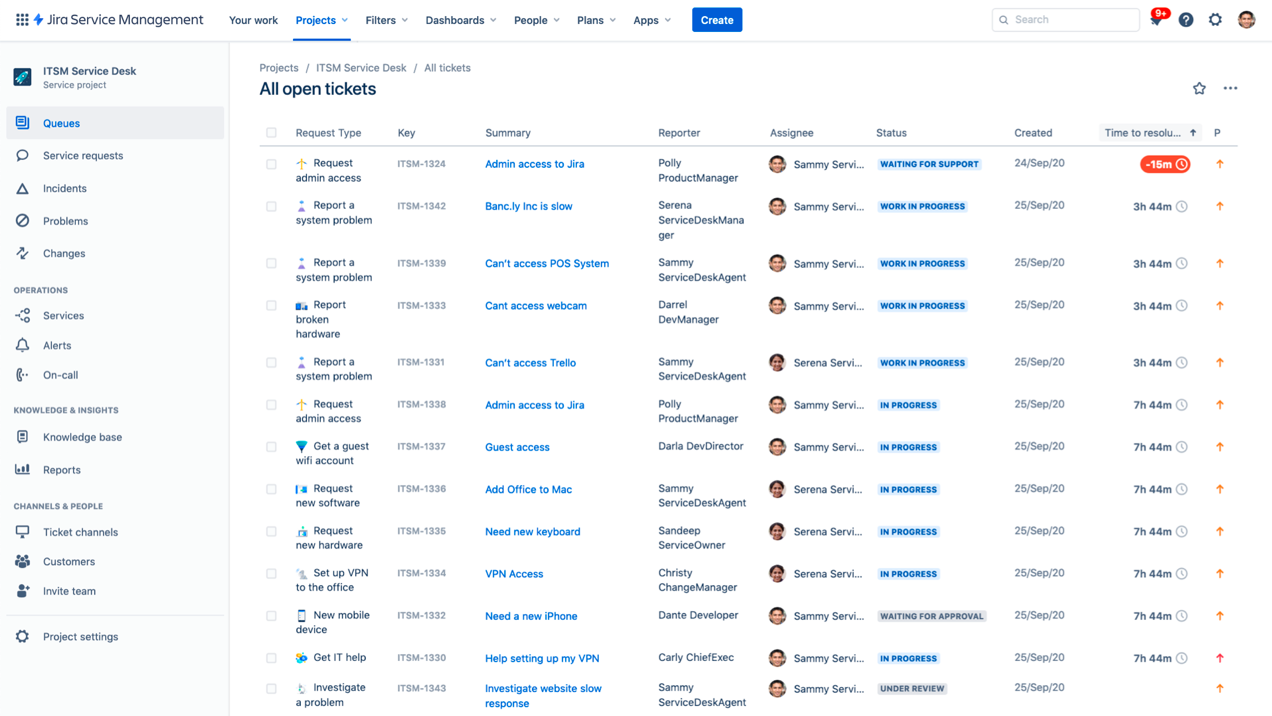
Image source: Jira Service Management
In my experience, Jira Service Management can be a good option, especially for development and operations teams (DevOps). Built for teams that use Jira for project management, this ticketing system for helpdesk uses Kanban boards to visualize workflows.
This help desk ticketing software lets developers and support teams track issues visually, from initial report to fix and deployment. This improves collaboration and keeps everyone updated.
Plus, it offers features for managing different types of IT requests, like incidents (urgent issues) and changes (planned modifications) – perfect for keeping IT operations organized.
Pros:
- Deep integration with Jira Software and Confluence
- Features advanced incident management capabilities
- Supports change management processes integrated with development work
- Supports agile methodologies for IT service management
Cons:
- Only a 2 GB file storage is offered in the free plan
- Setup and integration can be complex and require technical expertise
User Rating: 4.5 (Capterra)
Pricing:
A free plan is available for 3 agents. Paid options start from $20/user/month.
13. BMC Helix – Best for Service Management
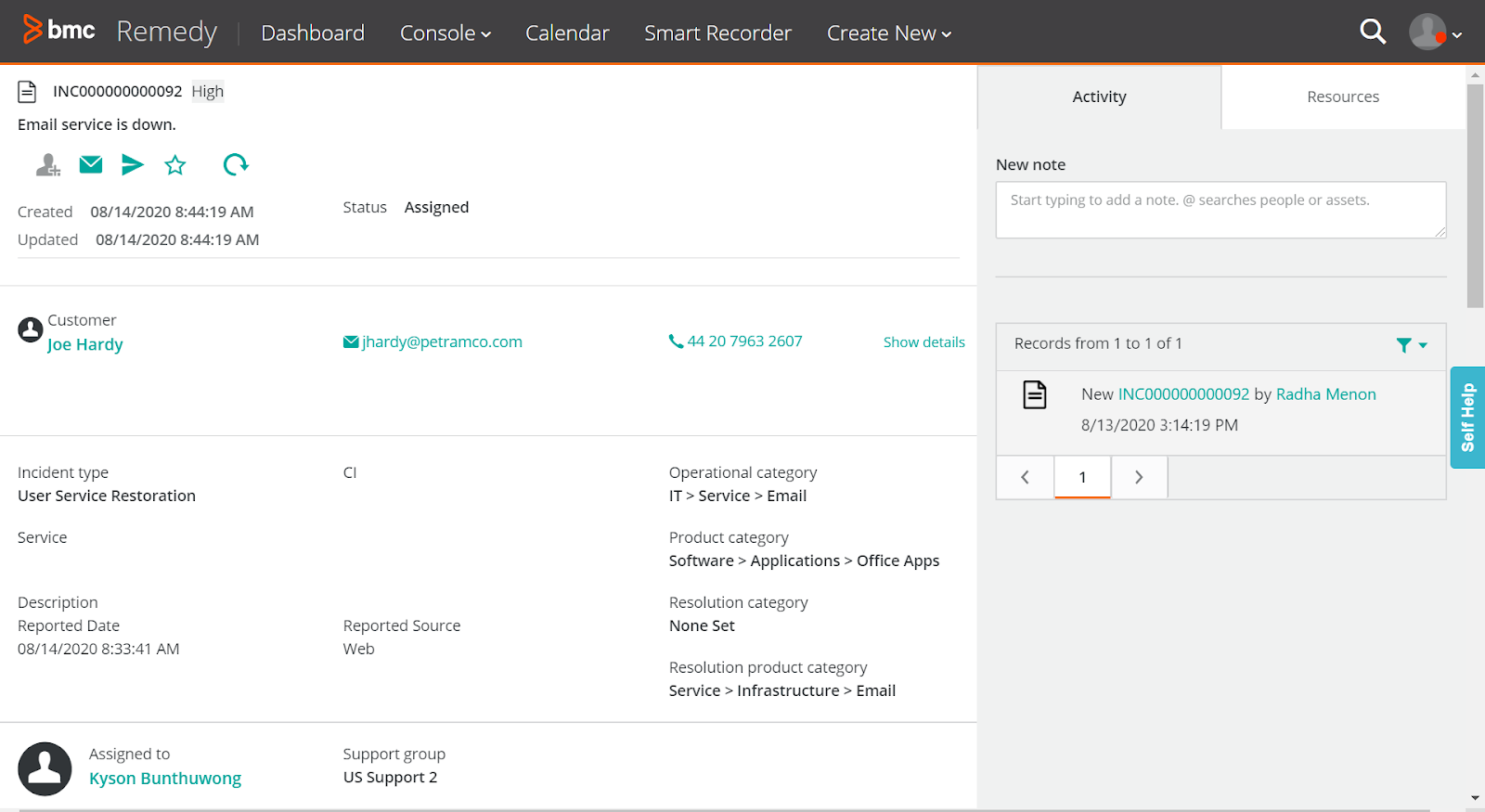
Image source: BMC Documentation
BMC Helix is an advanced system with AI intelligence that automates ticketing. The tool was recommended to me by an ex colleague.
Imagine this scenario: A customer contacts support with a vague description of an issue. Helix can analyze past tickets and customer data to predict the problem and even suggest solutions to your agents.
This streamlines troubleshooting and gets customers back on track faster. Plus, the tool also automates repetitive tasks like sending status updates or resetting passwords. This frees up agents for complex issues and lets them focus on personalized customer interactions.
Pros:
- Incorporates AI and machine learning for predictive service management
- Incident and problem management to streamline IT service resolutions
- Comprehensive dashboards for monitoring and analytics
- Virtual agents and chatbots for automated customer interactions
Cons:
- The initial setup can be complex for small businesses
- Integration with non-BMC products requires additional configuration
User Rating: 4.1 (Capterra)
Pricing:
Custom pricing.
How to Choose the Right Help Desk Ticketing Software
Choosing a help desk ticketing software isn’t about picking the most popular tool. In my experience, the right platform is the one that fits how your team works today and still scales as volume, channels, and complexity grow. Here are the practical checks I use before committing to any tool.
1. Start With Your Team Size and Ticket Volume
Begin with the basics: how many agents will use the tool, and how fast are requests increasing? Smaller teams usually do well with a shared inbox, basic automation, and quick setup. As you grow, you’ll want stronger routing logic, role-based permissions, and SLA rules so nothing gets missed during busy periods.
If you want flexibility without overthinking it, ProProfs Help Desk works well for teams of all sizes because you can start simple and expand workflows, automation, and collaboration as your support operation matures.
2. Match the Tool to Your Support Channels
Look at where support requests actually come from. If most customers email you, email-first ticketing might be enough. But if you’re handling chat, web forms, and social messages too, you’ll want omnichannel support so every conversation lands in one place.
The goal is a single dashboard where your team can track ownership and progress without switching tools.
3. Choose Automation That Prevents Backlogs
Automation is what keeps support from turning into constant firefighting. Prioritize tools that can auto-assign tickets, set priority using rules, trigger alerts, and support templates or saved replies. This matters at every stage. For small teams, it saves hours. For larger teams, it keeps workloads balanced and response times consistent.
4. Don’t Skip Reporting, SLAs, and Self-Service
If you can’t measure support, you can’t improve it. Look for reporting that tracks response and resolution time, backlog trends, and SLA performance. Add customer satisfaction tracking if it’s important to your team.
Also check self-service. A customer portal and knowledge base can cut ticket volume by helping customers solve common issues on their own, especially once you start seeing repeat questions at scale.
5. Check Integrations, Onboarding, and Cost Over Time
A help desk ticketing software should fit into your existing stack. Make sure it integrates with tools you already use, such as HubSpot, Salesforce, Slack, Jira, or Asana. Ease of onboarding matters too. A powerful platform that’s hard to implement often gets underused.
Finally, look past the entry price. Free plans can help early on, but confirm the tool stays cost-effective as you add agents, channels, and advanced features.
6. Sanity-Check With Real User Feedback
Before finalizing anything, I always scan verified reviews to spot patterns that product pages won’t mention. Sites like G2 and Capterra are especially useful for finding repeat themes around setup effort, reliability, reporting depth, and the quality of customer support once you’re past onboarding.
At the end of the day, the right help desk ticketing software should help you stay organized, respond faster, and deliver a better support experience without adding unnecessary complexity.
Top Features of a Help Desk Ticketing Software
The best help desk ticketing software does more than store support requests. It helps your team stay organized, respond faster, and deliver a smoother customer experience even as ticket volume grows.
1. AI Ticket Summarization & Response Suggestions
AI can automatically summarize long ticket threads and suggest relevant replies based on past conversations or knowledge base content. This helps agents quickly understand context, reduce repetitive typing, and respond more accurately, especially when handling a high volume of requests.
2. Automated Ticket Assignment and Routing
A strong ticketing system automatically assigns requests to the right agent or department based on rules like priority, category, or workload. This reduces delays and ensures urgent issues are handled quickly.
3. Omnichannel Ticket Management
Modern support teams receive requests from email, live chat, social media, phone, and web forms. The best tools centralize all channels into one dashboard so agents don’t have to jump between platforms.
4. Self-Service Portal and Knowledge Base
A built-in customer portal and knowledge base allow users to find answers on their own. This reduces repetitive tickets and improves satisfaction by offering faster resolutions.
5. Collaboration and Internal Notes
Features like shared inboxes, team mentions, internal notes, and ticket tagging make it easier for agents to work together on complex issues without losing context.
6. SLA Tracking and Escalation Workflows
Service Level Agreements help teams stay accountable. Ticketing software with SLA timers and escalation rules ensures that no request sits unanswered beyond acceptable limits.
7. Reporting and Support Analytics
Dashboards help managers track response times, ticket backlog trends, agent performance, and customer satisfaction. These insights are essential for improving support operations over time.
8. Integrations With Business Tools
A help desk works best when connected to your existing stack, such as CRMs, collaboration tools, project platforms, and live chat systems. Integrations help create a seamless workflow across teams.
FREE. All Features. FOREVER!
Try our Forever FREE account with all premium features!
Types of Help Desk Ticketing Systems
Help desk ticketing software come in different formats depending on how they’re deployed and what kind of support they’re designed for. Understanding these types can help you choose the right fit.
1. Cloud-Based Help Desk Systems
Cloud help desks are hosted online and accessible from anywhere. They’re easy to set up, require no infrastructure, and are ideal for remote or growing teams that want flexibility.
2. On-Premise or Hybrid Help Desk Systems
Some organizations prefer hosting software internally for greater control over data and compliance. These systems are common in industries with strict security or regulatory requirements.
3. Internal Help Desk Systems
Internal ticketing systems are used for employee support instead of external customers. HR, IT, payroll, and facilities teams often use these platforms to manage internal requests efficiently.
4. Open-Source Help Desk Systems
Open-source tools like osTicket or GLPI allow full customization and self-hosting. They can be cost-effective but usually require technical expertise for setup and maintenance.
5. Enterprise Help Desk and ITSM Platforms
Enterprise systems are built for complex workflows, large ticket volumes, and multiple departments. They often include advanced automation, asset tracking, and IT service management capabilities.
Benefits of Help Desk Ticketing Software
Help desk ticketing software brings structure, speed, and accountability to customer support. Instead of juggling scattered messages, teams can manage every request in one place.
1. Faster Response and Resolution Times
Tickets help teams prioritize urgent issues, assign ownership, and resolve problems efficiently, leading to quicker customer responses.
2. Better Customer Experience
Customers get consistent communication, clear updates, and faster support. This builds trust and improves satisfaction over time.
3. Higher Agent Productivity
Automation features, like ticket routing and response templates, free up agents to focus on complex issues, boosting team productivity and reducing manual tasks.
4. Improved Team Collaboration
Shared dashboards, internal notes, and ticket history help teams work together smoothly, especially when multiple agents handle one case.
5. Clear Visibility and Accountability
Managers can track workloads, SLA performance, and support KPIs in real time, making it easier to identify bottlenecks and improve service quality.
6. Scalability as Support Needs Grow
As your business expands, ticketing software helps you handle more requests, add new channels, and maintain service standards without chaos.
My Top 3 Picks for Help Desk Ticketing Systems
If you’re wondering which tools are truly worth considering after reviewing all 13 options, these three stood out to me. They are easy to use, scalable, strong on automation, and don’t make support workflows feel complicated.
1. ProProfs Help Desk
If you want a feature-rich and AI-powered ticketing system for your business, you should go for ProProfs Help Desk. The tool is quite user-friendly and helps you track, prioritize, and resolve all tickets in one place. Also, built-in integrations with ProProfs Knowledge Base and Live Chat make customer support a breeze.
2. HubSpot Service Hub
HubSpot Service Hub can be a great option if you are already using the HubSpot CRM. Agents can view all customer details at a glance, get relevant context, and offer personalized assistance at scale.
3. ServiceNow
If you offer IT support to end-users, be it your customers or employees, then ServiceNow can be a good bet. Even though the tool can be a bit complex to set up, you can track all your IT assets, incidents, and requests in one place.
Get Started With the Best Help Desk Ticketing System Today!
When you’re handling a steady flow of customer questions, complaints, and requests, staying organized isn’t optional. A help desk ticketing software brings everything into one place, helping your team track issues, respond faster, and deliver consistent support without the chaos of scattered inboxes.
Over time, I’ve found that the right platform doesn’t just manage tickets, it improves the entire support experience. With automation, reporting, and self-service tools like a knowledge base or live chat, teams can resolve problems efficiently while keeping customers informed at every step.
If you’re looking for a solution that’s easy to adopt, scalable for any team size, and packed with automation features at a reasonable price, ProProfs Help Desk is a strong place to start. You can even try it with a freemium plan before committing. Give it a spin and see how much smoother support can feel.
Frequently Asked Questions

How do I choose the right help desk ticketing tool?
Start by evaluating your team size, ticket volume, and customer support channels. Look for automation, SLA tracking, reporting, ease of use, and integrations with your existing tools. The right system should simplify support today and scale smoothly as needs grow.
Do help desk ticketing tools support omnichannel customer service?
Yes. Most modern help desk platforms centralize tickets from email, live chat, web forms, phone, and social media into one dashboard. Omnichannel support ensures every request is tracked in one place, improving response speed and preventing customer issues from being missed.
Can help desk software improve customer satisfaction?
A help desk system improves customer satisfaction by helping teams respond faster, stay organized, and avoid missed requests. Automation, self-service portals, and consistent communication create smoother support experiences, leading to higher trust, better loyalty, and fewer unresolved complaints.
How difficult is it to migrate from shared inboxes to a help desk ticketing system?
Most modern help desk tools offer import options and guided onboarding to simplify migration from Gmail, Outlook, or spreadsheets. The key is mapping workflows properly, setting up automation rules early, and training your team to avoid disruption during the transition.
Does help desk ticketing software integrate with CRM and collaboration tools?
Yes. Leading ticketing platforms integrate with CRMs like HubSpot and Salesforce, as well as tools like Slack, Jira, and Asana. Integrations ensure customer data, conversations, and internal tasks stay connected, reducing manual updates and improving cross-team visibility.
Can help desk ticketing systems support internal IT or HR requests?
Absolutely. Many help desk platforms support internal service desks for IT, HR, payroll, and facilities teams. Employees can submit requests through a portal, while managers track SLAs, workload, and resolution timelines in a structured and accountable system.
FREE. All Features. FOREVER!
Try our Forever FREE account with all premium features!

 We'd love your feedback!
What did you like & how can we make it even better?
 Thanks for your feedback!
 Ask Your Question
Have a question? Get expert help to make your decision easier.